
Jujur, dulu menulis email itu beban. Terutama kalau harus respond ratusan email setiap hari—apalagi yang formal dan perlu diplomasi. Tapi sekarang? Gmail + Gemini AI mengubah semuanya.
Email masih jadi 28% pekerjaan profesional. Berat banget, kan? Nah, Gemini di Gmail sekarang bisa bantuin nulis, polish, bahkan prioritize email otomatis. Dan yang keren—semuanya terintegrasi langsung di tempat kamu biasa kerja.
Waktu yang bisa dihemat? Berjam-jam per minggu. Seriously.
Setup: Hanya 5 Menit
Syarat Akses
Kamu butuh salah satu:
- Google Workspace (Business/Enterprise tier)
- Google One AI Premium ($20/bulan)
Aktivasi Gemini
Buka Gmail di browser:
- Klik Compose (atau buka email untuk reply)
- Cari icon Pena dengan Bintang di composition area
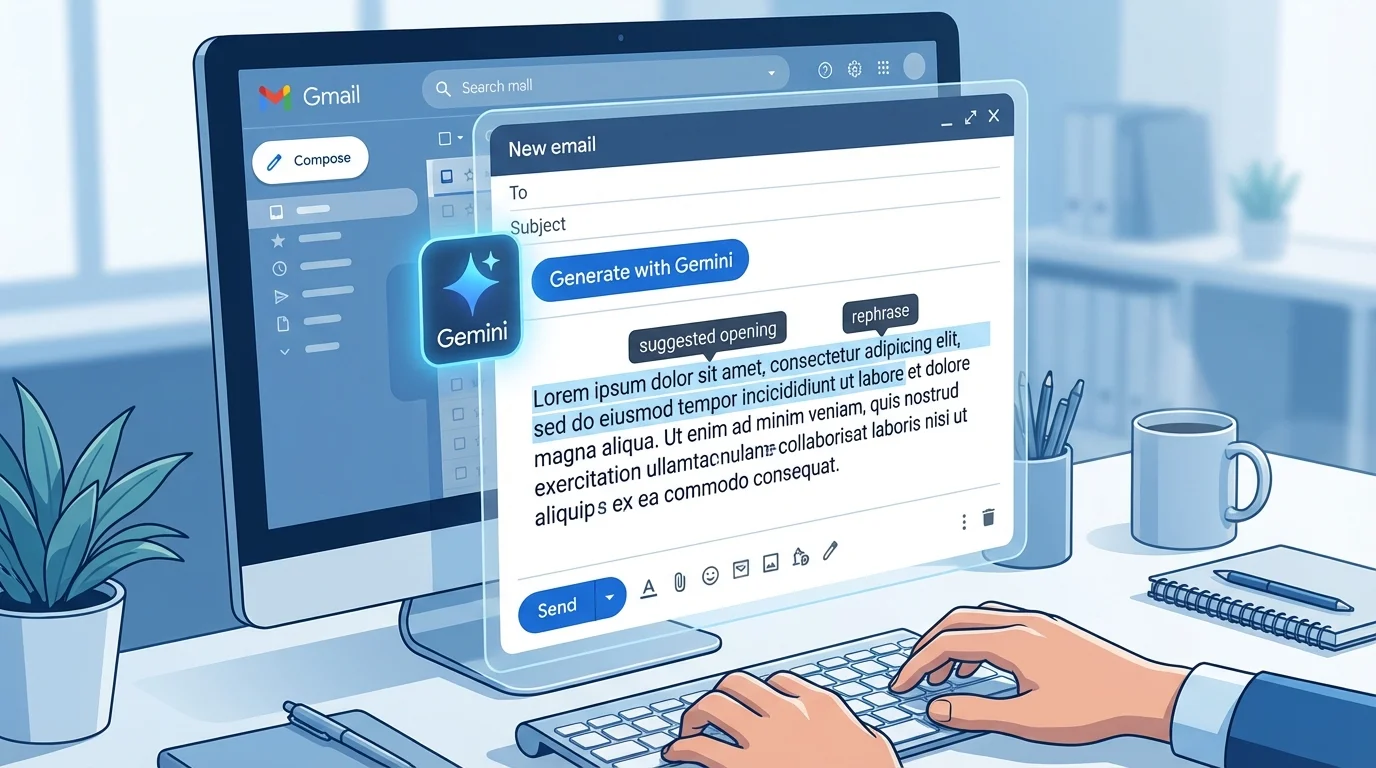
- Klik itu → Fitur “Help Me Write” aktif
Gak melihat icon? Pergi ke Settings → General → scroll cari “Help me write” → Enable.
Di mobile (Android/iOS)? Buka Gmail app → Compose → Cari Sparkle icon di keyboard.
Bahasa Indonesia? Gemini fully support Indonesian, jadi bisa prompt dan get output dalam Bahasa Indonesia native. No need translate-translate.
4 Fitur Utama yang Game-Changer
1. Help Me Write (Generate Draft Email)
Ini yang paling powerful. Ketimbang start dari blank, Gemini generate draft lengkap dari prompt kamu.
Caranya:
Compose → Click “Help me write”
↓
Prompt: “Email follow-up proposal AI kepada CEO,
tone: profesional tapi approachable,
sertakan 3 poin action item, deadline 15 Feb 2026″
↓
Gemini generate draft → Insert → Edit/Polish → Send
Contoh prompt yang work:
“Email decline vendor proposal dengan sopan, alasan: budget constraints,
tapi sertakan harapan kolaborasi di masa depan,
tone: respectful dan appreciative.”
Setelah draft generated, kamu bisa refine pake options:
- Polish → Improve grammar & clarity
- Formalize → Make it more professional
- Elaborate → Add more detail
- Shorten → Cut unnecessary parts
Workflow ini bisa hemat 15-20 menit per email kalau emailnya yang panjang dan kompleks.
2. Smart Reply (Balasan Kontekstual Instant)
Buka email → Gemini analyze konteks → Suggest 3 balasan cepat. Tinggal klik, edit kalau perlu, send.
Contoh:
Email masuk: “Bisa meeting Selasa jam 3pm?”
Gemini suggest:
- “Bisa, akan hadir.”
- “Maaf ada conflict. Bagaimana Rabu?”
- “Tolong kirim agenda meeting dulu.”
Click → Edit 1 kata → Send. Total waktu: 10 detik.
Untuk email panjang yang perlu ekstrak poin-poin? Gemini juga bisa bantu—suggest balasan yang cover semua yang diminta sender tanpa perlu kamu re-read berkali-kali.
3. AI Inbox & Summarize
Ini buat yang email-heavy. Gmail auto-prioritize important emails dalam tab khusus “AI Inbox”. Plus bisa summarize thread panjang jadi TL;DR.
Contoh:
7 email berturut-turut tentang Project X?
“Summarize: thread Project X 7 hari terakhir + extract to-do list”
↓
Gemini: “John agree timeline, Maria flag budget issue,
deliverables: A, B, C. Next meeting: Jumat 2pm.”
Gak perlu re-read 7 email—tinggal baca ringkasan 2 kalimat terus action.
4. Proofread & Polish Otomatis
Ketik draft manual atau hasil Gemini yang masih rough?
Highlight → “Help me write” → “Proofread”
Gemini bakal:
- Fix grammar errors
- Suggest tone improvements
- Rate clarity (1-10 scale)
- Highlight redundant sentences
Contoh feedback: “Fixed 3 grammar errors, improved clarity 40%, suggest: change ‘akan’ → ‘segera’ untuk urgency.”
20 Prompt Template Email (Copy-Paste Ready!)
Sales & Business (5 Template)
- Cold Outreach
“Email cold outreach ke CEO startup fintech, pitch software kami,
tone: confident-but-not-pushy, sertakan social proof/testimonial,
CTA: book 15-min demo.”
- Follow-Up
“Follow-up email proposal minggu lalu, reminder deadline 20 Feb,
tone: friendly-professional, sertakan link proposal.”
- Meeting Request
“Request meeting 30 menit tentang [topic],
availability: Senin-Rabu jam 2-4pm, sertakan agenda 3 poin.”
- Invoice Reminder
“Reminder invoice #123 jatuh tempo 5 hari lagi,
tone: firm-but-polite, sertakan payment link dan terms.”
- Partnership Proposal
“Partnership proposal ke [company], highlight mutual benefits,
revenue share 30%, tone: collaborative, sertakan one-pager.”
Customer Support (5 Template)
- Complaint Response
“Customer complaint delay delivery order #456,
apologize genuinely, offer 20% discount next order,
timeline resolution 48 jam, tone: empathetic-helpful.”
- Refund Approval
“Approve refund request $50, alasan product defect,
proses: 3-5 hari kerja, refund method options,
tone: helpful-professional.”
- Technical Support
“Troubleshoot login issue, ask for screenshot,
provide step-by-step reset password guide,
offer follow-up support jika masih error.”
- Feature Request Thank You
“Thank you untuk feature request X,
timeline development Q3 2026,
keep them updated, tone: appreciative-genuine.”
- Cancellation Confirmation
“Confirm cancellation subscription, effective end of month,
data backup guide, offer back jika berubah pikiran,
tone: supportive-not-pushy.”
Internal Team (5 Template)
- Weekly Update
“Weekly Project X update: 3 milestone completed, 1 delay reason,
next steps, deadline 1 March, tone: concise-transparent.”
- Meeting Minutes
“Meeting minutes 15 Feb: attendees [list],
key decisions [3 poin], action items [5] dengan owner,
tone: formal-clear.”
- Leave Request
“Request cuti 3 hari 20-22 Feb, alasan family emergency,
delegation plan ke [colleague], tone: professional.”
- Team Announcement
“Announce team restructuring: 2 new hires, reporting lines,
new responsibilities, Q&A session Jumat, tone: transparent.”
- Deadline Reminder
“Deadline reminder submission report Jumat 5pm,
late consequences explained, tone: firm-but-supportive.”
Personal & Networking (5 Template)
- Post-Interview Thank You
“Thank you email to interviewer,
highlight 3 memorable poin discussion,
reiterate genuine interest, send within 24 jam.”
- Networking Follow-Up
“Follow-up networking event, mention specific konversasi,
suggest coffee chat next week, tone: casual-professional.”
- Professional Introduction
“Introduce A ke B, highlight mutual interest AI,
explain connection value, tone: warm-brief, gunakan BCC.”
- Congratulation Message
“Congrats teman atas promotion, acknowledge specific achievement,
wish best di role baru, tone: genuine-warm.”
- Event Invitation
“Invite ke webinar AI, date 25 Feb, 2pm, registration link,
highlight benefit attendance, tone: exciting-welcoming.”
Tabel: Fitur Gemini Gmail Quick Reference
| Fitur | Use Case | Time Saved | Best For |
| Help Me Write | Generate draft email | 10-20 min/email | Sales, formal emails |
| Smart Reply | Quick responses | 30-50 sec/email | High-volume inbox |
| Summarize | Thread compression | 5-10 min/thread | Long conversations |
| Proofread | Grammar & clarity | 3-5 min/email | Important emails |
| AI Inbox | Prioritization | 15-30 min/day | Email management |
Pro Tips: Hemat Waktu Maksimal
1. Build Personal Template Library
Save prompt-prompt terbaik kamu ke Google Keep atau Notion. Next time butuh email sejenis, tinggal copy-paste prompt. Customize sedikit—done.
2. Batch Processing
Bukannya nulis email satu-satu, minta Gemini batch:
“Draft 10 follow-up emails ke leads [list names].
Personalisasi each dengan company name + specific pain point,
tone: helpful-not-salesy.”
Gemini generate 10 draft sekali. Jauh lebih efisien.
3. Combine dengan Calendar Integration
Gmail auto-detect dates di email. Gemini bisa suggest timing based on availability. Smooth banget.
4. Review Before Send (Critical!)
Ini penting: selalu review sebelum kirim. Gemini bagus, tapi bukan 100% perfect. Gak mau email professional salah grammar atau tone-nya menyimpang, kan?
5. Track Impact
Monitor waktu sebelum vs sesudah Gemini. Most people hemat 60-70% email writing time. Worth it.
Privacy & Best Practices
Privacy: Google tidak train Gemini pake email pribadi kamu (default opt-out). So data aman.
Etika Email AI:
- ✅ Always personalize 20% (nama, specific detail)
- ✅ Review before send—add human touch
- ✅ Untuk email sensitive, consider disclaimer “Drafted with AI assistance”
- ❌ Jangan kirim tanpa review
- ❌ Hindari sensitive data (passwords, PII) di prompt
- ❌ Jangan over-rely untuk critical business decisions—combine dengan judgment manusia
Kesimpulan: Workflow Baru, Hasil Lebih Baik
Gemini di Gmail bukan lagi fitur fancy—sudah praktis dan essential buat professional yang serious soal productivity.
Langkah-langkah:
- Enable Gemini di Gmail (5 menit setup)
- Pick 3 template dari 20 di atas
- Test hari ini → refine workflow
- Save template yang work
- Hemat berjam-jam per minggu
ROI? Hemat 3-5 jam per minggu = fokus ke task strategis yang benar-benar penting.
Buka Gmail sekarang. Compose email. Klik “Help me write”. Lihat magic happen. ✨