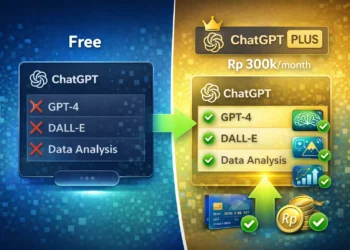

GPT Store adalah marketplace resmi OpenAI tempat kamu bisa nemuin, pakai, dan share custom GPTs – versi khusus ChatGPT yang disesuaikan untuk tugas spesifik. Diluncurkan 10 Januari 2024, sekarang udah ada lebih dari 3 juta custom GPTs yang dibuat komunitas.
Konsepnya mirip App Store punya Apple, tapi semua yang ditawarin adalah AI chatbots terspesialisasi. No coding required, siapapun bisa bikin GPT sendiri tanpa skill programming.
Akses langsung di chatgpt.com/gpts kalau kamu udah punya ChatGPT Plus. Yuk kita bahas lengkap cara pakainya dan GPTs terbaik yang wajib dicoba.
Sejarah dan Perkembangan GPT Store
OpenAI pertama kali announce GPT Store di DevDay conference November 2023. Target rilis awalnya akhir Desember 2023, tapi harus ditunda.
Launch ditunda ke awal 2024 karena leadership chaos pas drama CEO Sam Altman. OpenAI bilang “A few unexpected things have been keeping us busy!” di memo internal mereka.
10 Januari 2024, GPT Store officially launched dengan 3 juta+ custom GPTs yang udah dibuat pengguna dalam 2 bulan. Tersedia buat Plus ($20/bulan), Team ($25/user/bulan), dan Enterprise users.
Dari 2024 sampai sekarang 2026, platform terus berkembang pesat dengan ribuan GPTs baru setiap hari. Komunitas makin aktif bikin GPTs buat berbagai kebutuhan.
Cara Mengakses GPT Store
Step 1: Login ke ChatGPT
Buka chat.openai.com terus login atau sign up pake email, Google, Microsoft, atau Apple. Catatan penting: kamu butuh subscription ChatGPT Plus ($20/bulan) buat akses penuh GPT Store.
Step 2: Klik “Explore GPTs”
Di sidebar kiri halaman ChatGPT, cari tombol “Explore GPTs”. Atau langsung aja kunjungi chatgpt.com/gpts buat masuk ke GPT Store.
Step 3: Jelajahi Kategori
GPT Store punya beberapa kategori utama:
- Featured – GPTs populer pilihan OpenAI
- Trending – GPTs yang lagi naik daun
- Top Picks – Rekomendasi based on usage kamu
- Categories – DALL·E, Writing, Productivity, Research, Programming, Education, Lifestyle
Step 4: Cari GPT Spesifik
Gunain search bar di atas buat cari GPT tertentu. Ketik keyword kayak “logo design”, “data analysis”, atau “coding assistant”. GPT Store bakal tampilin hasil paling relevan.
Step 5: Preview dan Mulai Chat
Klik GPT yang menarik buat liat deskripsi lengkap, rating, creator info, dan capabilities. Klik “Start Chat” buat mulai pakai. Tandai sebagai Favorite kalau berguna buat akses cepat nanti.
20 GPTs Terbaik yang Wajib Dicoba
A. Productivity & Work
| GPT | Rating | Users | Best For |
| Canva GPT | ⭐ 3.2 | 7M+ | Generate design presentations, logos, social media posts |
| Excel AI | – | – | Automate data analysis & optimize spreadsheet workflows |
| Notion Expert GPT | – | – | Organizing & optimizing Notion workspace |
| Meeting Summarizer Pro | – | – | Transform meeting notes jadi action items |
| Calendar GPT | – | – | Manage schedules & optimize time dengan AI planning |
Canva GPT cocok banget buat quick visual content creation tanpa skill design. Excel AI powerful buat data analysts dan finance professionals dengan formula generation dan pivot table automation.
Notion Expert GPT bantu bikin template, setup database, dan workflow automation. Meeting Summarizer Pro transform meeting notes jadi bullet-point summaries lengkap dengan task assignments.
B. Writing & Content Creation
| GPT | Rating | Users | Best For |
| Write For Me | ⭐ 4.3 | 13M+ | Blog posts, articles, marketing copy |
| Creative Writing Coach | – | – | Enhance storytelling & overcome writer’s block |
| AI Humanizer Pro | – | – | Make AI text sound natural |
| SEO Mentor | – | – | Boost website ranking dengan SEO recommendations |
Write For Me adalah GPT paling populer dengan 13M+ users. Bisa write tailored content dengan word count presisi. Creative Writing Coach assist dengan plot development, character creation, dan dialogue improvement.
SEO Mentor kasih keyword research, on-page optimization, dan content gap analysis. Perfect buat digital marketers dan bloggers.
C. Research & Education
| GPT | Rating | Users | Best For |
| Scholar GPT | ⭐ 4.2 | 10M+ | Access 200M+ academic resources |
| AskYourPDF | – | – | Extract & summarize PDFs |
| Tutor Me (Khan Academy) | ⭐ 4.5 | 3M+ | Personalized tutoring berbagai subjects |
| Video Summarizer | – | – | Extract key info dari videos |
Scholar GPT akses Google Scholar, PubMed, arXiv, bioRxiv dengan critical reading skills built-in. Game-changer buat researchers dan academics.
AskYourPDF bisa handle up to 2GB per file dan 1000s PDFs. Tutor Me by Khan Academy cover math, science, humanities, dan test prep buat students K-12 sampai college.
D. Coding & Development
| GPT | Rating | Users | Best For |
| Code Copilot | ⭐ 4.2 | 5M+ | Code smarter dengan 10x programmer expertise |
| Python GPT | #1 Rank | – | Python coding & debugging |
| Grimoire | ⭐ 4.3 | 3M+ | Full-stack development |
| Diagrams: Show Me | – | – | Create flowcharts & UML diagrams |
Python GPT ranked #1 di GPT Store buat Python developers dan data scientists. Code Copilot support Python, JavaScript, TypeScript, React, Node.js.
Grimoire powerful buat web developers dengan code generation capabilities. Diagrams: Show Me create visual illustrations buat complex technical concepts.
E. Creative & Design
| GPT | Rating | Users | Best For |
| Image Generator | ⭐ 3.5 | 18M+ | Professional quality images |
| Logo Creator | ⭐ 3.3 | 5M+ | Professional logo designs & app icons |
| Video Maker GPT (Visla) | – | – | Create video content dengan AI |
Image Generator paling populer dengan 18M+ users. Generate dan refine images dengan professional quality. Logo Creator perfect buat startups dan small businesses yang butuh branding.
F. Specialized Tools (Bonus)
Finance & Economics GPT (⭐ 4.4, 3M+ conversations) – Best for investors, traders, financial analysts.
Math Solver (⭐ 4.2, 3M+ conversations) – Step-by-step solutions, equation solving, calculus buat students dan engineers.
Cara Membuat GPT Sendiri
Step 1: Buka GPT Builder
Kunjungi chatgpt.com/gpts/editor atau dari GPT Store, klik “+ Create” di pojok kanan atas.
Step 2: Gunakan “Create” Tab
GPT Builder bakal guide kamu dengan conversational approach. Contoh prompt: “Buat AI assistant yang membantu format kode Python saya” atau “Buat content creator untuk Instagram captions”.
Step 3: Configure Details
Tab Configure buat advanced settings:
- Name – Nama GPT kamu
- Description – Penjelasan fungsi
- Instructions – System prompt detail (otak GPT)
- Conversation starters – Contoh pertanyaan
- Capabilities – Web browsing, image generation, code interpreter
- Knowledge files – Upload documents buat context
Step 4: Test di Playground
Sisi kanan adalah preview real-time. Test GPT kamu sebelum publish buat pastiin works properly.
Step 5: Publish
Pilih visibility:
- Only me – Private
- Anyone with a link – Semi-public
- Everyone – Public di GPT Store
Verify Builder Profile buat publish di Store. Klik “Publish” kalau udah siap.
Tips Memaksimalkan GPT Store
Explore categories secara menyeluruh, jangan cuma pakai search. Featured GPTs usually highest quality dengan kurasi ketat dari OpenAI.
Check ratings dan reviews sebelum pakai. GPTs dengan 1M+ users biasanya proven quality dan reliable.
Favorit GPTs andalan kamu buat quick access. Build personal collection sesuai workflow.
Combine multiple GPTs buat hasil optimal. Misalnya: Scholar GPT → Write For Me → SEO Mentor buat research-based content.
Try before you build. Explore existing GPTs dulu sebelum membuat sendiri, belajar dari top GPTs buat inspiration.
GPT Store: Marketplace AI Terbesar
GPT Store adalah marketplace AI terbesar dengan 3 juta+ custom GPTs untuk semua kebutuhan. Dari productivity, coding, research, sampai creative work – semua ada.
Akses mudah lewat ChatGPT Plus ($20/bulan), dan siapapun bisa membuat GPT tanpa coding skills. Top GPTs kayak Scholar GPT buat research, Code Copilot buat coding, Write For Me buat writing, dan Canva buat design udah terbukti kualitasnya.
Visit chatgpt.com/gpts sekarang, explore top GPTs buat workflow kamu, dan coba build custom GPT pertama kamu. Share ke komunitas ChatGPT Indonesia 900.000+ member buat diskusi GPTs terbaik dan tips bikin GPT yang powerful.